How to Deal with N + 1 Query?

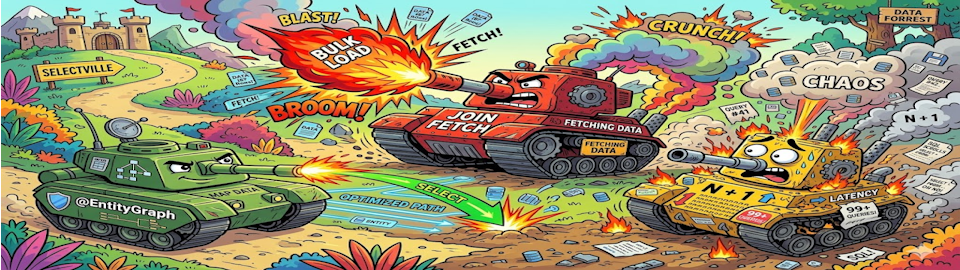
Sometimes, you are asked about the N + 1 problem. So here we are, finding the answer by going deep down the rabbit hole.
Imagine you are in an interview, palms slightly sweaty, and the interviewer leans forward and asks:
"So, how do you solve the
N + 1problem, especially in Spring JPA?"
And you, a diligent developer who has watched at least three YouTube videos on the topic, confidently say:
"Use
@EntityGraphorJOIN FETCH!"
The interviewer nods. You get the job. Everyone is happy.
Except... are you sure that's the right answer? Or did you just memorize the "correct" response without questioning whether the problem is even a problem in the first place?
Buckle up, because we are about to get a little philosophical about SQL queries.
What Even Is N+1?
Before we solve anything, let's make sure we actually understand what we are solving.
Say you have Customer entities, and each customer has a list of Order entities. You write a perfectly innocent piece of code to fetch all customers and iterate over their orders. JPA, being the sneaky little framework it is, fires one query to fetch all the customers. Then, for each customer, it fires another query to fetch their orders. That's 1 query for the parents, and N queries for the children.
Hence: N + 1.
100 customers? 101 queries. 1,000 customers? 1,001 queries. You get the idea. It scales terribly, and your database logs start looking like a ransom note.
This happens because JPA's default behavior for @OneToMany and @ManyToMany is lazy loading. It doesn't fetch related data until you actually touch it. Which sounds smart, until you touch it inside a loop.
Well, Let's Actually Talk About Performance First.
Here is where most articles just say "N + 1 bad, use JOIN FETCH, goodbye" and call it a day. We are not doing that.
Performance is not just "how many queries did we fire." It is a whole buffet of concerns, and you need to think about all of them before reaching for a solution:
-
Query count and I/O latency: how many round trips are we making to the database?
-
Memory usage: how much heap space is this result set eating in the JVM?
-
Coding effort: how long did it take to write this, and how angry will you be in the future when maintaining it?
-
Readability: can a junior dev understand this without needing a PhD in Hibernate internals?
Every "solution" to N + 1 is a tradeoff across these four dimensions. There is no free lunch. There is no silver bullet. There is only choosing which problem you want to have.
With that cheerful thought in mind, let's explore your options.
First, a Defense of N+1 Itself
Yes, you read that right. Let me defend the villain of this story for a moment.
The N + 1 produces the simplest code. Plain Java, lazy loading, no annotations, no JPQL, no ceremony. A junior developer can read it without crying. A senior developer can maintain it without cursing. It is boring, and boring is often good.
When your data is small and bounded, well, say, an admin panel that loads 20 records, or an internal tool that runs once a day, and the extra queries are completely negligible. You are not going to notice 21 queries instead of 1 on a dataset of 20 rows.
If you are using lazy loading, make absolutely sure your code runs inside a @Transactional method. If the JPA session closes before you access the lazy collection, Hibernate will reward you with a beautiful LazyInitializationException. It is the kind of exception that shows up at 2am in production and makes you question your life choices.
So N + 1 is fine when:
-
The data volume is small and controlled.
-
You prioritize readability and simplicity.
-
You are not on a latency-sensitive hot path.
N + 1 is not fine when:
-
N can be large (hundreds, thousands of rows).
-
The endpoint gets called frequently under heavy traffic.
-
Your DBA keeps sending you passive-aggressive Slack messages.
One more thing worth being honest about: N + 1 compounds fast when an entity has multiple lazy collections. If Product has both a categories collection and an availableStores collection, you are no longer looking at 1 + N queries. You are looking at 1 + 2N. Add a third collection and it becomes 1 + 3N. In practice, 3 products with two lazy collections fires 7 queries: 1 for the products, 3 for categories, 3 for stores. It sounds manageable until N stops being 3.
So the honest summary: N + 1 is fine for a single association on small data. Once you have multiple collections or meaningful data volume, that math turns against you quickly.
Solution 1: @EntityGraph (The Elegant One With a Dark Side)
@EntityGraph is the annotation that makes you feel like a sophisticated engineer. You slap it on your repository method, and Hibernate consolidates everything into a single grand SQL query with a LEFT JOIN. One trip to the database. Clean. Elegant. Satisfying.
@EntityGraph(attributePaths = {"orders"})
List<Customer> findAll();
Look at that. Beautiful.
Now let's talk about what happens at scale.
When you LEFT JOIN customers with their orders, the database returns one row per order, not per customer. A customer with 10 orders shows up 10 times in the result set. Hibernate is smart enough to deduplicate these back into proper Java objects, but the rows still traveled across the network and into your JVM's memory.
This is the Cartesian product effect. And it gets worse with multiple collections. If each customer has 10 orders and each order has 5 items, now you have 50 rows per customer. If you have 10,000 customers, that's 500,000 rows loaded into memory.
Your JVM heap will start sweating.
If it sweats enough, you get an OutOfMemoryError, and now you have traded an N + 1 problem for a system crash. Excellent trade.
To put a real number on it: in a tested dataset of just 3 products joined to two collections (categories and available stores), the database returned 36 rows before Hibernate deduplication. That is a 12x row multiplication for a tiny, toy dataset. Scale that up to thousands of products and the numbers stop being funny.
The List vs Set trap: MultipleBagFetchException
Here is a bonus landmine waiting for you specifically when fetching multiple collections with @EntityGraph. If both collections are declared as List, Hibernate will throw a MultipleBagFetchException at query construction time, before a single SQL query even fires. Then your endpoint returns HTTP 500.
MultipleBagFetchException: cannot simultaneously fetch multiple bags:
[com.example.Product.availableStores, com.example.Product.categories]
Hibernate calls an unordered List a "bag," and it cannot simultaneously fetch-join more than one of them because the Cartesian result does not carry enough information to reconstruct both collections reliably. The fix is to use Set instead of List for at least one (preferably both) of the collections. A mixed Set/List configuration works; two Lists does not.
Worth noting: switching to Set gets rid of the exception, but does absolutely nothing about the Cartesian row multiplication or the in-memory pagination problem. You traded one crash for a slower, more memory-hungry query. Progress!
The pagination problem is even more fun.
If you try to use @EntityGraph with Pageable for pagination, you are in for a surprise. Because the JOIN inflates the row count with duplicates, Hibernate cannot safely apply LIMIT and OFFSET at the SQL level, for doing so would return wrong results (wrong pages, wrong totalElements). So instead, Hibernate loads the entire result set into memory and then paginates in the JVM. This triggers the infamous warning:
HHH90003004: firstResult/maxResults specified with collection fetch; applying in memory!
This is not a bug in @EntityGraph. This is not a bug in Hibernate. This is SQL being SQL, as JOINs and pagination simply do not mix well when collections are involved.
And here is the part that really stings: reducing your page size does not help at all. For N+1, @BatchSize, and DIY loading, a smaller page means fewer child queries, and you only pay for the rows on the page you actually requested. For @EntityGraph and JOIN FETCH, the entire joined result set is loaded into memory regardless of page size. Requesting size=3 costs exactly as much as size=300 in terms of database work, network transfer, and JVM memory. The page size knob does nothing.
TL;DR: Elegant and query-efficient. Dangerous under large data or pagination. The pagination warning is not cosmetic: it means you are paying full price no matter how small a page you ask for.
Solution 2: JOIN FETCH (Same Movie, Different Title)
JOIN FETCH is @EntityGraph's slightly more manual sibling. You write it directly in your JPQL query:
@Query("SELECT c FROM Customer c JOIN FETCH c.orders")
List<Customer> findAllWithOrders();
Mechanically, it is almost identical to @EntityGraph. Single query, JOIN, done. And yes, it inherits the exact same Cartesian product problem and the exact same pagination disaster.
There is one subtle difference worth knowing: JOIN FETCH always forces a join, no matter what. @EntityGraph, on the other hand, tells Hibernate what to fetch but not necessarily how, giving Hibernate a bit of room to decide whether a join or a separate batch query would be more efficient, especially when multiple collections are involved.
In practice, for most use cases, they behave very similarly. Pick whichever one you find more readable.
The distinct gotcha: wrong pagination metadata
There is one JOIN FETCH-specific trap worth calling out explicitly, because it is quiet, and it will lie to your users.
When Spring Data executes a paginated query, it also fires a count query to calculate totalElements and totalPages. If your JOIN FETCH query does not use distinct, that count query joins on child rows too:
select count(a1_0.id)
from author a1_0
left join book b1_0 on a1_0.id = b1_0.author_id
With 5 authors and 15 books, this returns totalElements=15 and totalPages=5. Your API confidently tells the frontend there are 15 authors across 5 pages. There are 5 authors. This is wrong, it is silent, and it will confuse your users.
Two ways to fix this problem.
The first one:
@Query("SELECT DISTINCT a FROM Author a JOIN FETCH a.books")
With distinct, Hibernate generates count(distinct a1_0.id) instead, and the metadata is correct. It is a small thing that is very easy to forget and very annoying to debug.
The second one is to take the count query out of Hibernate's hands entirely and write it yourself:
@Query(
    value = "SELECT a FROM Author a JOIN FETCH a.books",
    countQuery = "SELECT COUNT(a) FROM Author a")
Page<Author> findAllWithBooks(Pageable pageable);
The countQuery attribute tells Spring Data to use your query for the count instead of deriving one from the main query. This sidesteps the join entirely, which means no inflated row count and no dependency on distinct to save you. It is also more explicit: anyone reading the code can immediately see what the count is doing and why.
Both approaches work. distinct is shorter; countQuery is more deliberate. Pick whichever fits your team's style, just don't leave it as neither.
TL;DR: Same tradeoffs as @EntityGraph. Slightly less flexible with multiple collections. And if you use it with pagination, always add distinct or your page metadata will be wrong.
Solution 3: Use @BatchSize (The Smart One Nobody Talks About)
This is Hibernate's quietly brilliant answer to the problem, and it is criminally underused.
Instead of firing one query per entity (N+1) or joining everything into one giant query (@EntityGraph), @BatchSize takes a middle path: it groups child IDs into batches and fires IN (...) queries.
@BatchSize(size = 20)
@OneToMany(mappedBy = "customer", fetch = FetchType.LAZY)
private List<Order> orders;
With 50 customers and a batch size of 20, instead of 51 queries (N+1) or one memory-hungry JOIN, you get:
-
1 query to fetch all customers
-
3 queries with
WHERE customer_id IN (...), batched in groups of 20
That's 4 queries total. No Cartesian product. No memory spike. Pagination works correctly because the main query is clean and unbloated.
You can also set it globally without touching individual entities:
spring.jpa.properties.hibernate.default_batch_fetch_size=20
One line in your config. Done.
The catch? The behavior is invisible in the code. Someone reading your entity class sees a normal lazy @OneToMany with a mysterious annotation. They have no idea Hibernate is doing something clever behind the scenes. Newcomers may find this confusing, and debugging unexpected query patterns requires knowing how @BatchSize works internally.
TL;DR: Memory-efficient, query-efficient, pagination-safe. Costs you some explicitness and readability.
Solution 4: DIY Manual Fetching (The Control Freak Special)
If @BatchSize does what you want, but you don't trust the ORM magic, you can just... do it yourself.
Fetch the parent entities first. Collect their IDs. Fire a second query with WHERE id IN (...) for the children. Map them together in Java.
// Step 1: fetch the parents
List<Customer> customers = customerRepository.findAll();

// Step 2: collect their IDs
List<Long> ids = customers.stream()
    .map(Customer::getId)
    .toList();

// Step 3: fetch all children in one shot
List<Order> orders = orderRepository.findByCustomerIdIn(ids);

// Step 4: group by customer ID so lookups are O(1), not O(N)
Map<Long, List<Order>> ordersByCustomerId = orders.stream()
    .collect(Collectors.groupingBy(order -> order.getCustomer().getId()));

// Step 5: map back onto each customer
// getOrDefault is important here: a customer with no orders won't have
// an entry in the map at all, and a raw get() would return null, not an
// empty list. That's the kind of NPE that only shows up in production.
for (Customer customer : customers) {
    List<Order> customerOrders = ordersByCustomerId
        .getOrDefault(customer.getId(), Collections.emptyList());
    // do something with customerOrders
}
This is essentially what @BatchSize does, but written out by hand. You have complete control over exactly what gets fetched, when, and how. No ORM magic. No surprises. Pagination works perfectly because you are in charge of every query.
The downside is that it is verbose, repetitive, and very easy to get wrong. Missed associations, stale IDs, subtle mapping bugs. Well, the list of ways this can go sideways is long. And as your schema evolves, this code needs to keep up manually.
TL;DR: Maximum control, maximum effort. Best for performance-critical paths where every single query needs to be intentional and explicit.
The Comparison You've Been Waiting For
Let's put it all in a table, because this is a technical blog post and tables are basically mandatory:
| Approach | Query Count | Memory Pressure | Pagination Safe | Readability | Coding Effort |
|---|---|---|---|---|---|
N + 1 (default) | High | Low | Yes | High | Low |
@EntityGraph | 1 | High (Cartesian) | Problematic | High | Low |
JOIN FETCH | 1 | High (Cartesian) | Problematic | Medium | Low |
@BatchSize | 1 + ceil(N/B) | Low | Yes | Low | Low |
| DIY Manual | 1 + ceil(N/B) | Low | Yes | Medium | High |
No single row is the winner. If there were a winner, this table would not need to exist.
So, What's the Actual Answer?
Right. You came here for an answer, and the answer is:
It depends.
Before you throw your laptop out the window (please don't), let me make that more useful:
-
Small, bounded data? N+1 is completely fine. Don't over-engineer it.
-
Large data, no pagination?
@BatchSizeor DIY manual fetching keeps memory in check without the Cartesian product risk. -
Large data, with pagination? Do not use
@EntityGraphorJOIN FETCHon collections. Reach for@BatchSizeor split your queries. -
Fetching multiple collections at once? N+1 becomes
1 + 2N(or1 + 3N...).@EntityGraphandJOIN FETCHmultiply the Cartesian product across every collection and riskMultipleBagFetchExceptionif you useList.@BatchSizeor DIY is the safest path here. -
One-time reporting query on a controlled dataset?
@EntityGraphorJOIN FETCHis elegant and perfectly fine.
The real answer to the interview question is this:
"I would measure: query count, memory usage, latency, data volume, and how easy the code is to maintain. Then I would choose the tradeoff that actually fits the situation."
That is not a cop-out. That is engineering.
Anyone can memorize "@EntityGraph fixes N+1." It takes a little more thinking to ask what else it breaks before reaching for it.
References
If you want to see all of this in action with real SQL logs and integration tests that verify the query counts, the full working example is here:
It covers every strategy in this article, runs against a real PostgreSQL instance via Testcontainers, and includes a REPORT.md with the actual query counts and behavior observations that backed several of the claims above. Spin it up, point a REST client at it, and watch the logs. Nothing makes the Hibernate pagination warning feel more real than seeing it fire on your own machine.
Now go impress that interviewer. Or at least send them this article and let them figure it out themselves.