Null-safe Comparisons in Java

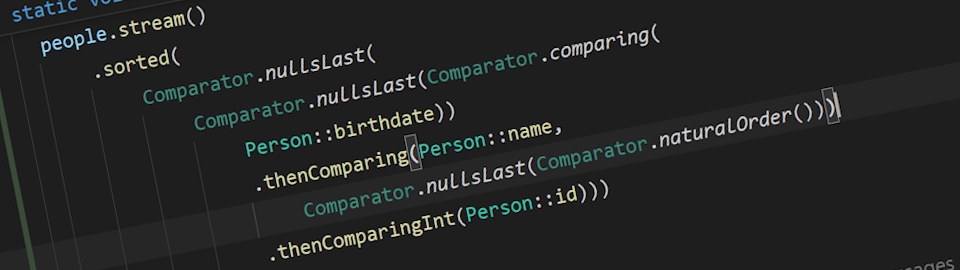
You probably won't need to sort your list of objects with custom comparison very often. But when you do... well, buckle up boys, because we're going on a wild ride!
Alright, alright, I hear you Kotlin fanboys screaming "BUT KOTLIN HAS NULL SAFETY!" 🤡 from the back of the room. Cool story bro, but we're doing Java today, so you can grab your fancy null safety and go hang out with the Rust evangelists at the hipster coffee shop. The rest of us mortals are stuck dealing with the age-old nemesis: null. And spoiler alert, it's not going anywhere anytime soon.
The Classic "This Should Be Easy" Problem
Picture this: you've got a simple Person class that's basically just three fields trying to pretend they're important:
// Records are cool, but you are not if you don't use them!
public record Person(int id, String name, LocalDate birthdate) {}
Your boss walks over (probably with that "I have a simple request" smile) and says: "Hey, just sort these people by birthdate, oldest first. Should take like 5 minutes, right?"
Oh boy, you have no idea.
Write Your Custom Comparing Condition
You start typing and your first instinct is to implement Comparator<Person> interface.
You then create your "naive" comparator:
class PersonComparator implements Comparator<Person> {

  static final int EQUAL = 0;
  static final int LESS_THAN = -1;
  static final int MORE_THAN = 1;

  @Override
  public int compare(Person p1, Person p2) {
    if (p1 == p2) {
      return EQUAL;
    }

    return p1.birthdate().compareTo(p2.birthdate());
  }
}
Then do the sorting business:
people.stream()
    .sorted(new PersonComparator())
    .toList();
Why not use Comparable<T> here, if you may ask?
There is nothing wrong with using Comparable<T> here. However, we are sorting the object using a custom, non-identifiable field, and therefore, using Comparator<T>here would make more sense. The Comparable<T> is best used for the id field.
Your comparator works. Most of the time.
Pro Developer Secret 🤫
Here's something they don't teach you in bootcamp: when implementing compare() methods in Java, you're not actually
required to return exactly -1, 0, and 1.
The contract is way more chill than that:
-
Less than 0: first object is "smaller"
-
Equal to 0: objects are equal
-
Greater than 0: first object is "larger"
So technically, you could return -42, 0, and 365 if you're feeling rebellious. But let's be honest, it is better to stick with the classic -1, 0, 1 combo. It's like the little black dress of comparison values: simple, elegant, and everyone knows what it means.
- Psychotic Comparator
- Sane Comparator
@Override
public int compare(Person p1, Person p2) {
    if (p1.age() < p2.age()) return -999;   // Still "less than 0"
    if (p1.age() > p2.age()) return 42;     // Still "greater than 0"
    return 0;                               // Still equals 0
}
@Override
public int compare(Person p1, Person p2) {
    if (p1.age < p2.age) return -1;     // Clean and obvious
    if (p1.age > p2.age) return 1;
    return 0;
}
Stick with -1, 0, 1. Your sanity will thank you later! Or at least bind them to constants, really.
When "It Works on My Machine" Becomes Your Worst Nightmare
Here's where things get spicy. Your code works beautifully... until it doesn't.
In QA land, "works most of the time" is basically the same as saying "I enjoy watching the world burn." Because guess what happens when there's even ONE measly null object lurking in your innocent little list?
💥 BOOM! 💥
Your entire sorting operation goes up in flames like a dumpster fire on a hot summer day.
If you're lucky and using an immutable approach (like .sorted() in streams), you just get an exception and can go cry in the corner. But if you're using Collections.sort() on a mutable list? Congrats, you now have a half sorted, completely scrambled mess that would make a Rubik's cube jealous.
So you do what any reasonable developer does: you add null checks:
@Override
public int compare(Person p1, Person p2) {
  if (p1 == p2) {
    return EQUAL;
  }

  if (p1 == null) {
    return MORE_THAN;
  }

  if (p2 == null) {
    return LESS_THAN;
  }

  return p1.birthdate().compareTo(p2.birthdate());
}
You lean back in your chair, satisfied. "There," you think, "I've conquered null!"
Oh, sweet summer child...
When Your Data Decides to Rebel Against You
PLOT TWIST!
The QA team comes back with that evil grin that says "we found another bug." Turns out, even though your Person objects aren't null, some genius decided that birthdate fields can be null too. Because why make life easy, right?
Time for round two of null checking hell:
- Pure Java (Pain Mode)
- Apache Commons (Slightly Less Pain Mode)
@Override
public int compare(Person p1, Person p2) {
  if (p1 == p2) {
    return EQUAL;
  }

  if (p1 == null) {
    return MORE_THAN;
  }

  if (p2 == null) {
    return LESS_THAN;
  }

  // *Heavy sigh* Here we go again...
  var p1Birthdate = p1.birthdate();
  var p2Birthdate = p2.birthdate();

  if (p1Birthdate == null) {
    return MORE_THAN;
  }

  if (p2Birthdate == null) {
    return LESS_THAN;
  }

  return p1Birthdate.compareTo(p2Birthdate);
}
@Override
public int compare(Person p1, Person p2) {
  if (p1 == p2) {
    return EQUAL;
  }

  if (p1 == null) {
    return MORE_THAN;
  }

  if (p2 == null) {
    return LESS_THAN;
  }

  // At least someone else wrote the null handling logic...
  return org.apache.commons.lang3.ObjectUtils.compare(
        p1.birthdate(), p2.birthdate());
}
FINALLY! The QA team stops sending you passive-aggressive emails, and you can go back to pretending you know what you're doing.
But then 3 AM hits, and you're lying in bed thinking: "Good lord, what have I done? This code looks like it was written by someone who hates both themselves AND their future self." There's gotta be a better way... right?
Right?!
JDK 8 Swoops In Like a Superhero (Sort Of)
Good news! If you're stuck in the stone age with JDK 7 and below, well... thoughts and prayers, my friend. But if you've joined the modern world with JDK 8+, there's actually some hope for your sanity!
JDK 8 basically said "You know what? Screw writing entire custom Comparator<T> classes like it's 2005." And honestly? Thank you, OpenJDK overlords.
Check this out:
people.stream()
    .sorted(Comparator.comparing(Person::birthdate))
    .toList();
ONE. LINE.
You feel like you just discovered fire. This is it! You're done! Time for a victory lap around the office!
But then, the victory lap was premature...
Because of course, our old friend null is still lurking in the shadows, waiting to ruin your day. The QA team is probably already sharpening their bug reports.
But wait! There's more! The JDK 8 team wasn't completely evil. They actually gave us some pretty sweet static methods in the Comparator<T> class for dealing with our null nightmare.
So here's how you tell nulls to sit at the back of the bus (nulls last):
people.stream()
    .sorted(
        Comparator.nullsLast(
            Comparator.comparing(Person::birthdate, Comparator.nullsLast(Comparator.naturalOrder()))
    .toList();
"But what if I want to be extra fancy and add a tiebreaker using names?" you ask.
Oh, you beautiful overachiever:
people.stream()
    .sorted(
        Comparator.nullsLast(
            Comparator.comparing(Person::birthdate, Comparator.nullsLast(Comparator.naturalOrder()))
                .thenComparing(Person::name, Comparator.nullsLast(Comparator.naturalOrder()))
    .toList();
Still not satisfied? Want to throw in the person's ID as the ultimate tiebreaker because you're just that thorough?
Fine, here's your kitchen sink solution:
people.stream()
    .sorted(
        Comparator.nullsLast(
            Comparator.comparing(Person::birthdate, Comparator.nullsLast(Comparator.naturalOrder()))
                .thenComparing(Person::name, Comparator.nullsLast(Comparator.naturalOrder()))
                .thenComparingInt(Person::id)))
    .toList();
Since id is an int (and therefore can't be null because primitives don't hate you THAT much), you can use .comparingInt() or .thenComparingInt() without worrying about null checks. It's like a tiny island of sanity in our sea of null chaos.
Want everything backwards? Just swap Comparator.naturalOrder() for Comparator.reverseOrder() and watch the world burn in reverse!
Want to put the null objects and objects with null fields on top? Use Comparator.nullsFirst().
And there you have it, folks! You've successfully wrestled Java's null demons into submission. Now go forth and sort things with the confidence of someone who definitely won't get a 3 AM production bug alert.
Definitely.